Step 1 · one process
Capacity and Cost Review
One process, about four weeks to the readout. Its four numbers, its pattern and fix, and a costed list of improvements with an owner for each.
See the review
Turn your phone sideways to play the animated version.
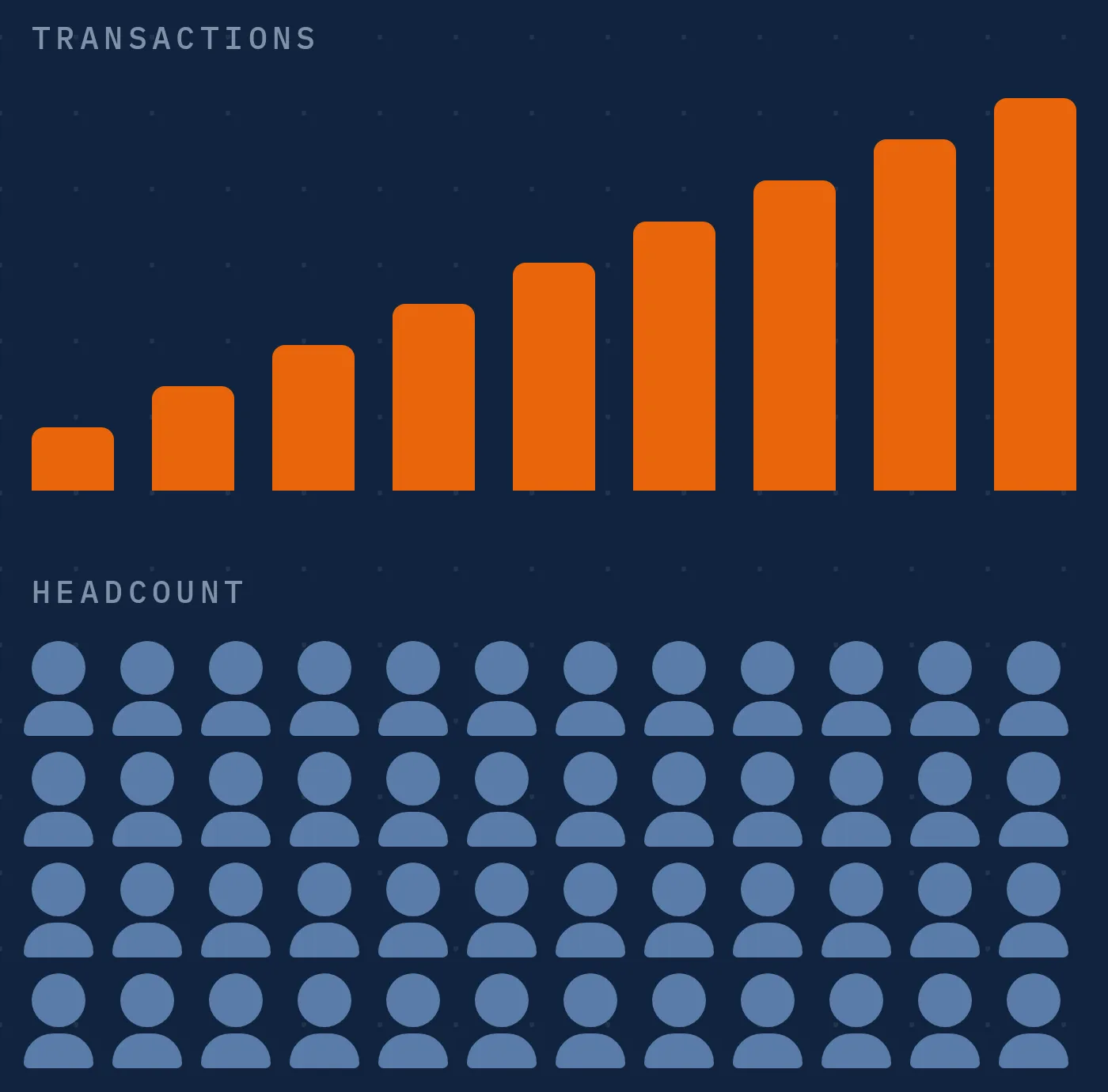
Most growth plans start with another hire.
Before you hire, measure how much of the team's week goes into waiting, chasing and fixing.
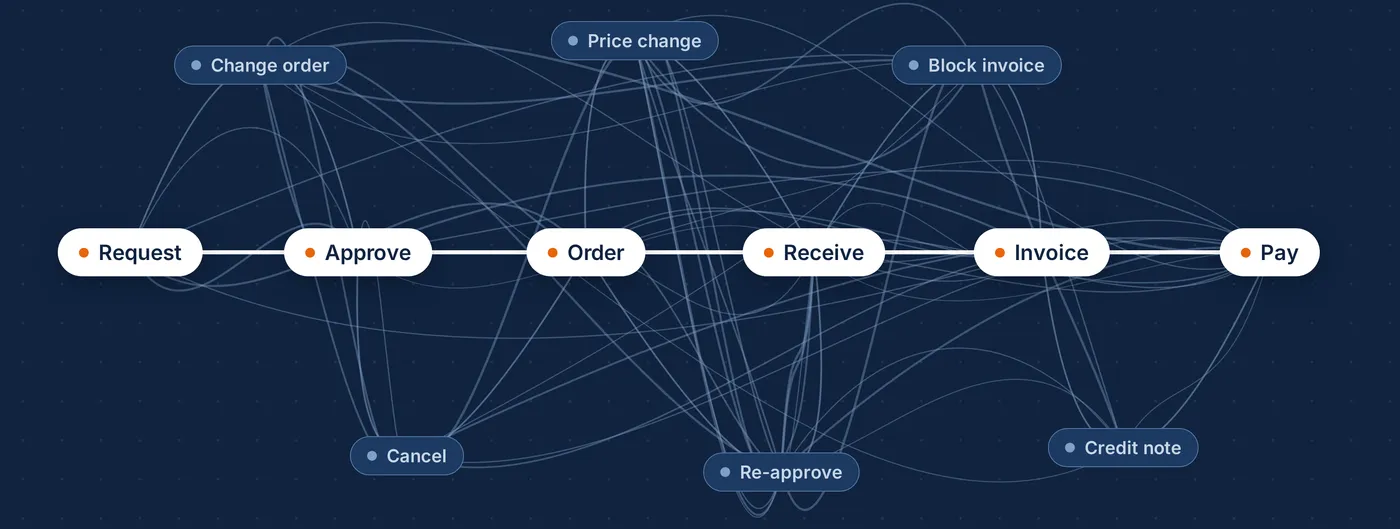
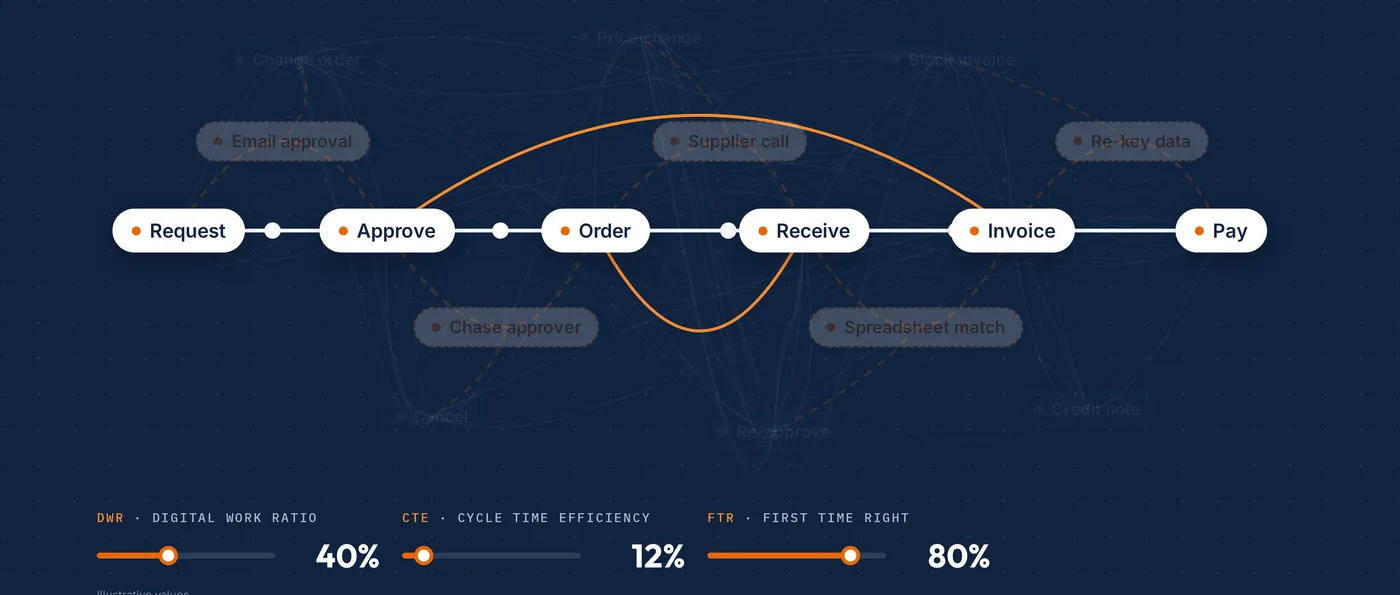
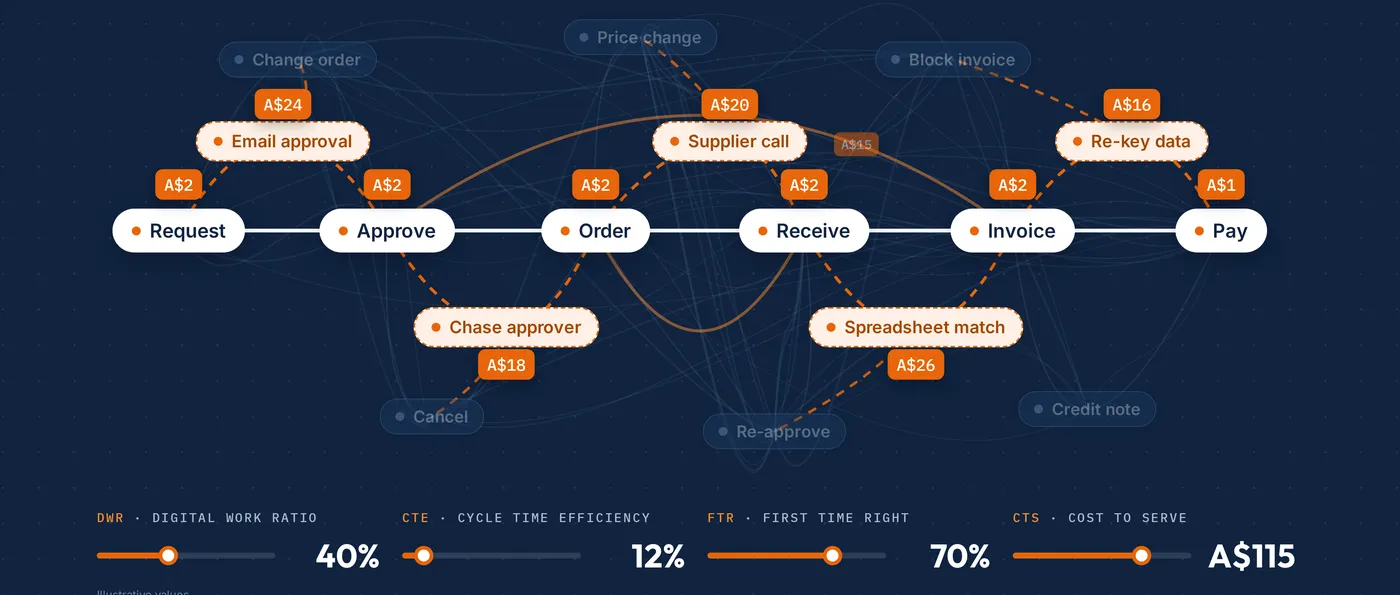
On paper the process is a straight line. The system log shows changes, re-approvals and cancels.
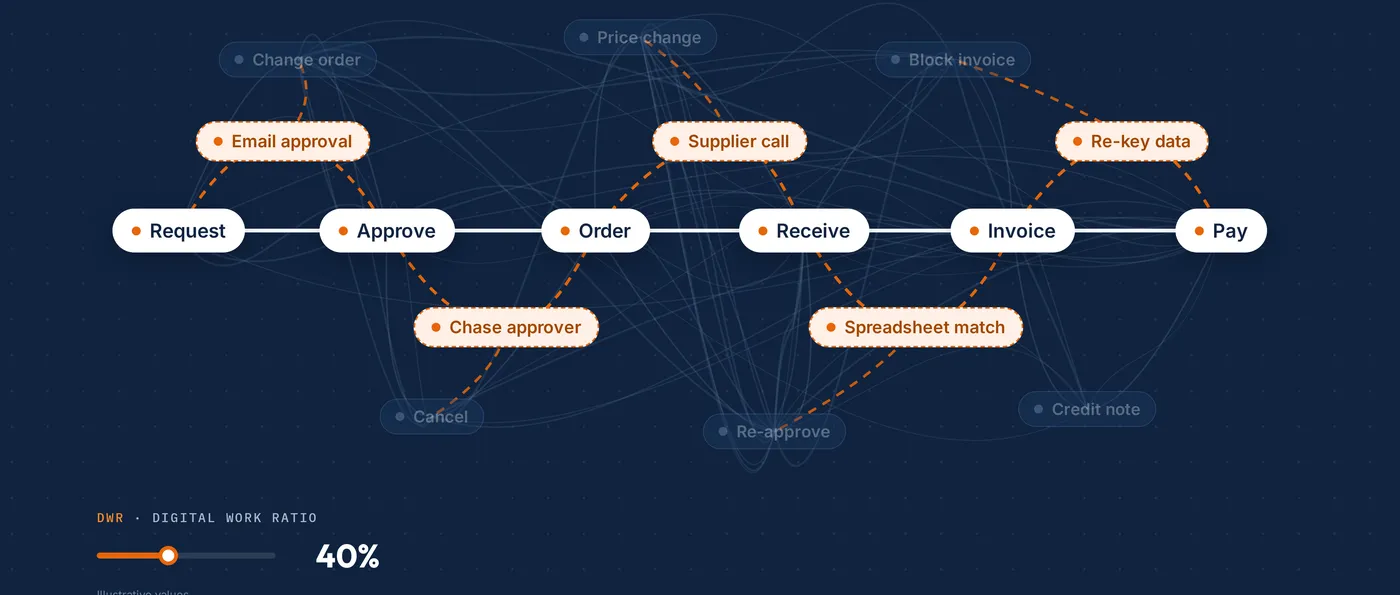
Add the email, spreadsheet and phone work, and the process is 40% digital, not close to 100%.
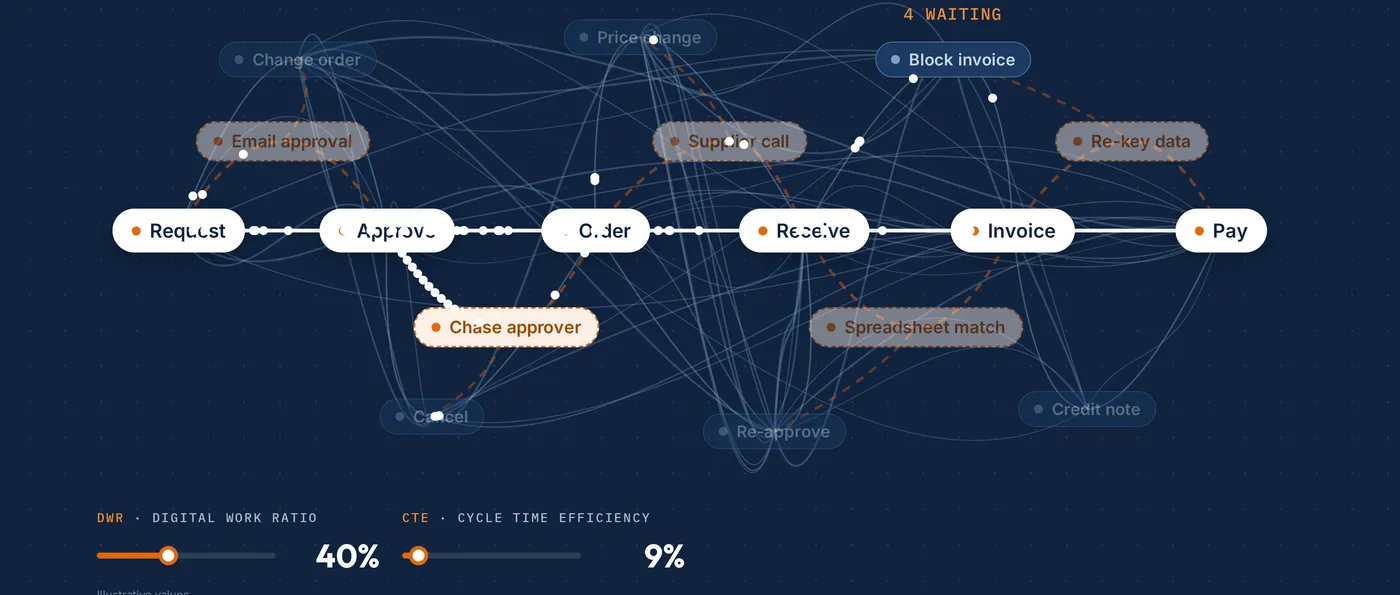
Cycle Time Efficiency shows how much of the elapsed time is real work.
First Time Right shows how much of the work is done once.
Cost to Serve: about A$140 per purchase order, of which A$9–13 is time in the system.
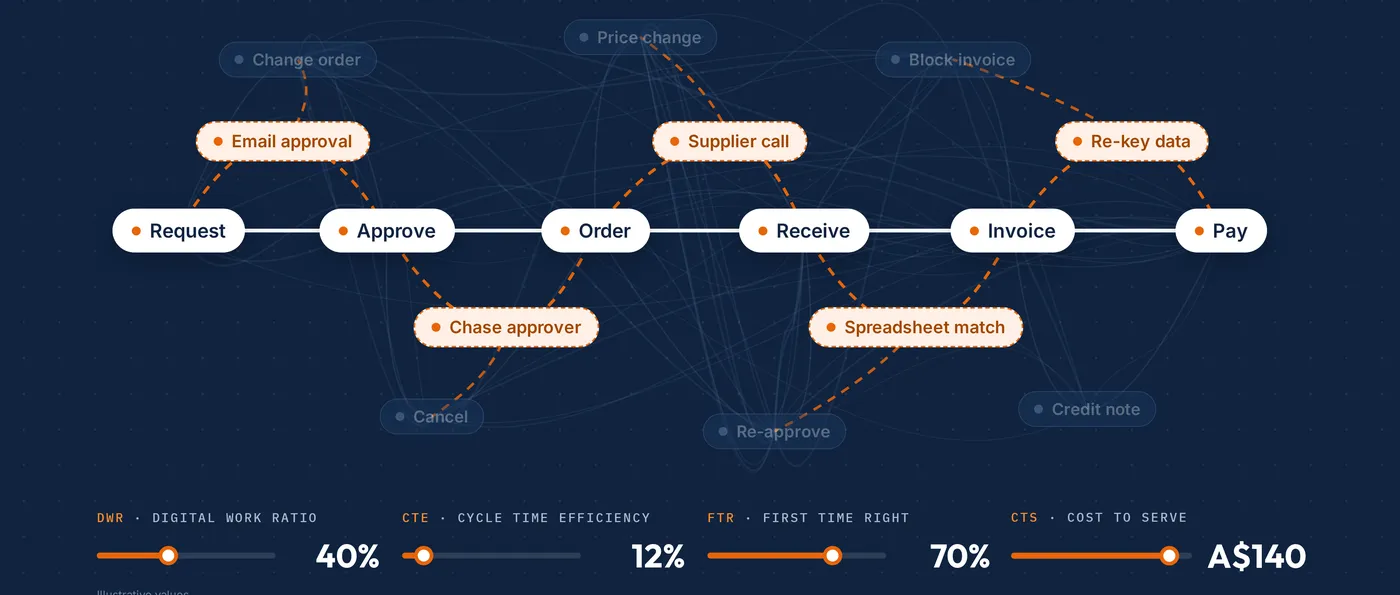
Digital Work Ratio, Cycle Time Efficiency, First Time Right and Cost to Serve.
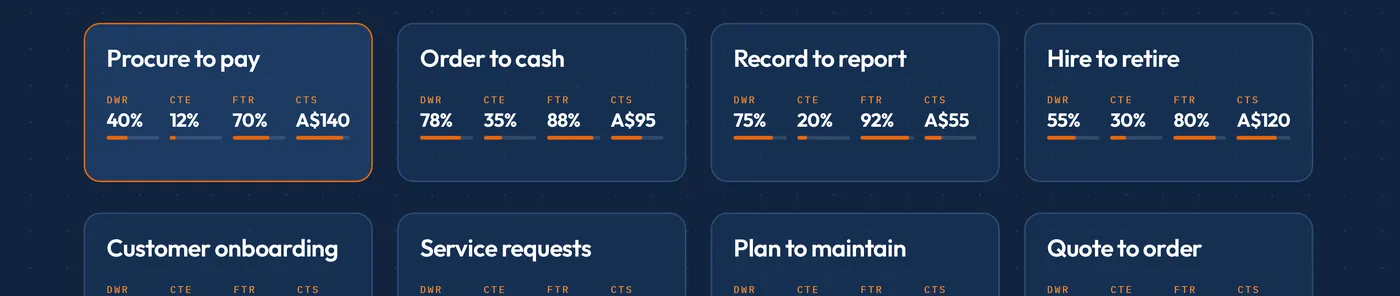
The same four numbers, measured the same way, so processes compare like for like.
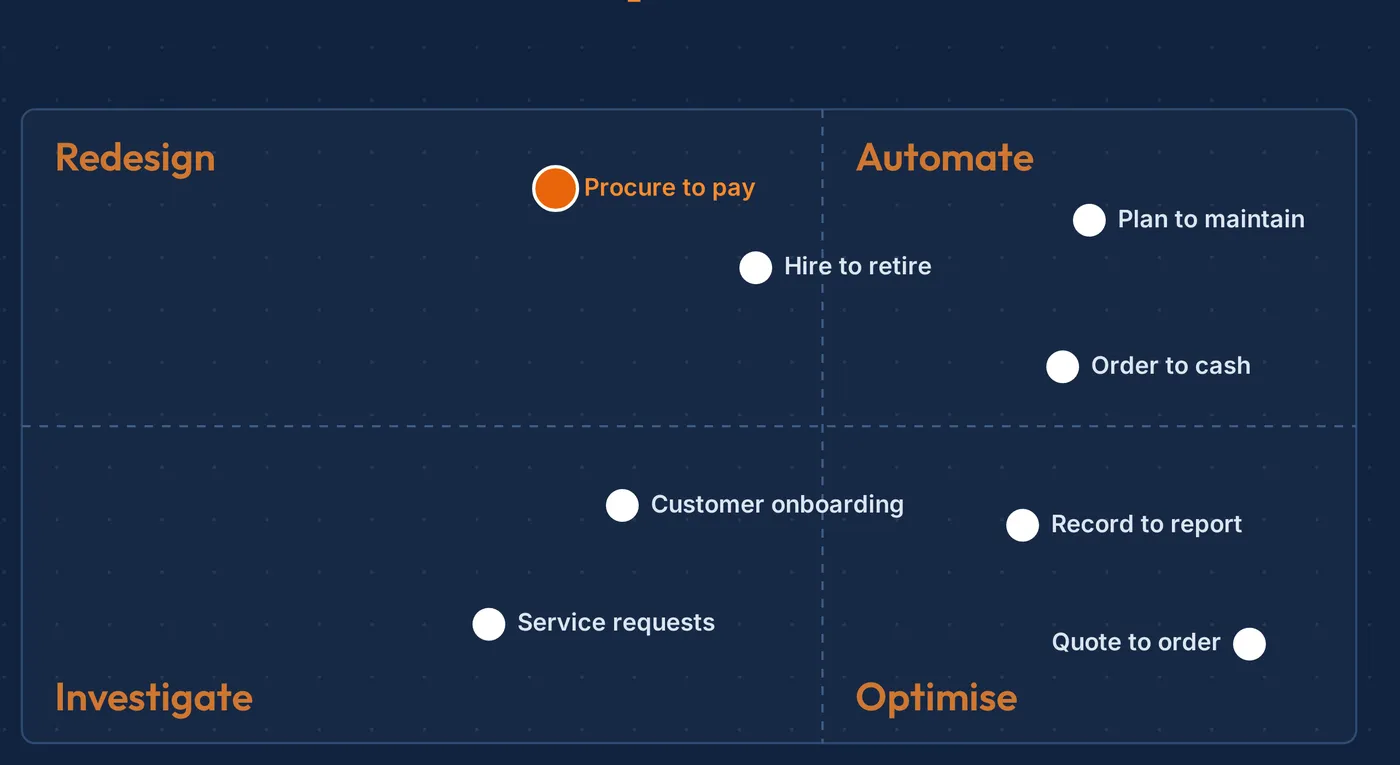
How much of the work is in the system, against what it costs.
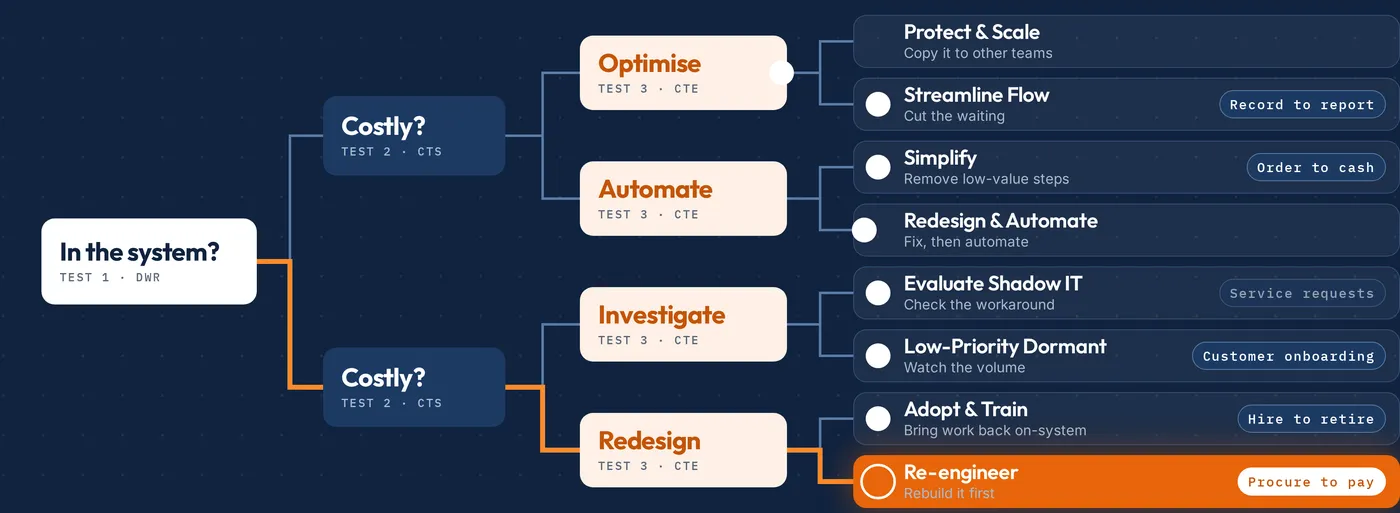
Three tests, eight patterns, one fix for each.
Then AI, where the process is ready for it.
Figures: Impira reference data set, modelled on client engagements. Not the result of a single client.
How we engage
Each step has a fixed fee, agreed on scope. You decide after each one whether to take the next.
Step 1 · one process
One process, about four weeks to the readout. Its four numbers, its pattern and fix, and a costed list of improvements with an owner for each.
See the reviewStep 2 · more processes, in sprints
The same review across more of your processes, a few at a time. Every process lands on one map, with its fixes ranked by value.
See the portfolio reviewStep 3 · per fix
Redesign, adoption, automation and AI agents, each where the numbers say it will pay. Measured before and after.
See how we fixImpira reference data set
Modelled on client engagements. Not the result of a single client.
What the system log said, and what the complete picture showed once the off-system work was added.
Digital Work Ratio
~100% → 40%
The system log said the process was fully digital. With email, spreadsheet and phone work added, 40% of the work was in the system.
Cost to Serve
~A$140
Fully loaded cost of one purchase order, reconciled to the ledger and built from the time each step takes.
System time
A$9–13
The part of that cost spent in the system. The rest sits in the work around it.
Free guide for executives
What an unowned process costs. Why appointed owners fade. How four numbers make the role work.
About 15 minutes. No form.
Start here
Tell us which process takes too much time or money. In 30 minutes we will show you how we would measure it, and what we would expect to find.